From one sentence to your first order.
Eight steps — only the first two need you. Here is everything that happens, with the screens you'll see.
Step 1Describe your store.
Tell ShopIgnitor what you sell in a sentence or two — "an organic skincare store for young professionals". The more you say about your products and the look you want, the closer the first version gets.
- Plain words, no forms
- Pick a suggestion to start faster
- Free to try
Build your store with 
Tell ShopIgnitor what you want to sell and we'll design, structure and build a full store for you.
Quick prompt
Step 2Answer a few questions.
Your shop name, country, business email and phone number — shown on your contact page and order confirmations. Upload a logo, or let ShopIgnitor make one in the colour you choose.
- Contact details for your shoppers
- A logo in your brand colour
- Your country's currency and phone format
+ NewAMStep 3Watch it being built.
ShopIgnitor AI picks a design, writes your pages, adds products and pictures, makes your logo and sets up checkout. You see every step as it happens — most stores are ready in ten to fifteen minutes.
- Design, pages and products
- Copy written for what you sell
- Live progress, step by step
+ NewAM

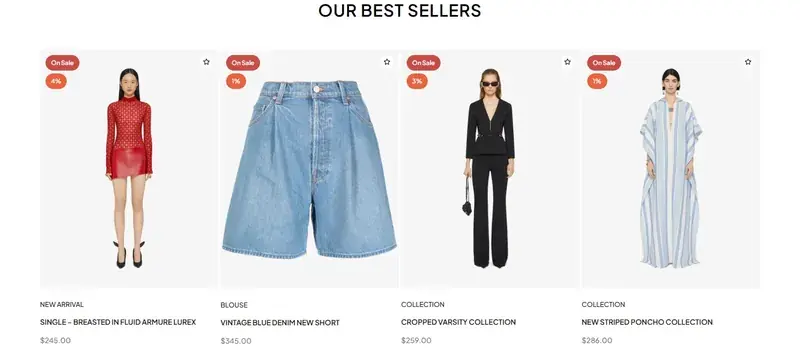



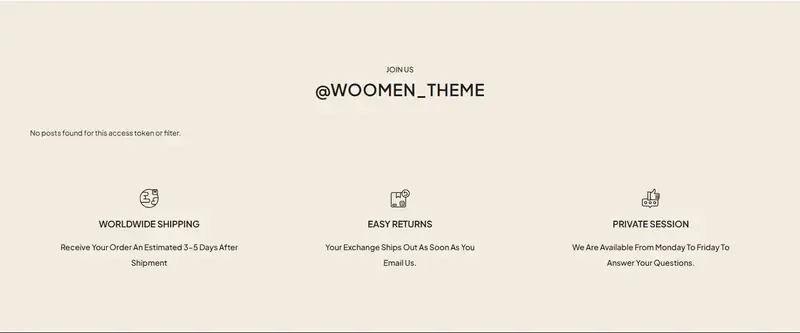
Step 4Your store is live.
Your store opens on its own ShopIgnitor address straight away, ready on phones, tablets and computers. Share the link and start selling.
- Works on every screen
- Secure by default (SSL)
- Cart and checkout included
Step 5Make it yours.
Change anything in plain words — "make the banner darker", "show eight products" — or open the Ignitor Builder and click any heading, picture or section on your page. Swap a section for a new design in one click, and undo anything.
- Click anything to edit it
- Or just ask in the chat
- Every change can be undone
Or start from
TOP COLLECTIONS
The words exactly as they appear on the page.TOP COLLECTIONS
Step 6Connect your domain.
Bring a domain you own and your store moves onto it, with security set up for you. Until then, it keeps working on its ShopIgnitor address.
- Your own domain
- SSL set up for you
- Live in one click
Connect domain
- Domain found
- Secure connection (SSL)
- Connected to your store
Step 7Take and ship orders.
Manage every order from one screen: confirm it, book the courier, track it to the door and get paid — with cash on delivery under control.
- Cash-on-delivery checks
- 20+ couriers with live tracking
- Returns and re-shipping
Step 8Grow your store.
Bring shoppers back with SMS, WhatsApp and email campaigns, and keep stock right across locations — all from the same dashboard.
- SMS, WhatsApp and email
- Stock across locations
- See what sells
Customers who bought in the last 90 days · 2,400
Ready to open your store?
Describe it once. Change anything later.
Start buildingQuestions.
Do I need any technical skills?
No. You describe your store and answer a few questions; ShopIgnitor sets up the design, pages, products, hosting and checkout.
How long does it take?
Most stores are live in about ten to fifteen minutes, and you can watch every step.
What if I don't like the design?
Change it. Ask in the chat, click anything in the Ignitor Builder, or swap any section for another design — and undo anything you don't like.
Can I add my own products and pictures?
Yes. Your store starts with a catalogue made for what you sell, which you can edit or replace with your own products and photos.